Use the developer control centre
Manage workspace access, plans, billing and Paybill setup from one place.
/admin → Developer account verification
Before you beginOnly the approved platform administrator can enter. Complete the additional verification.
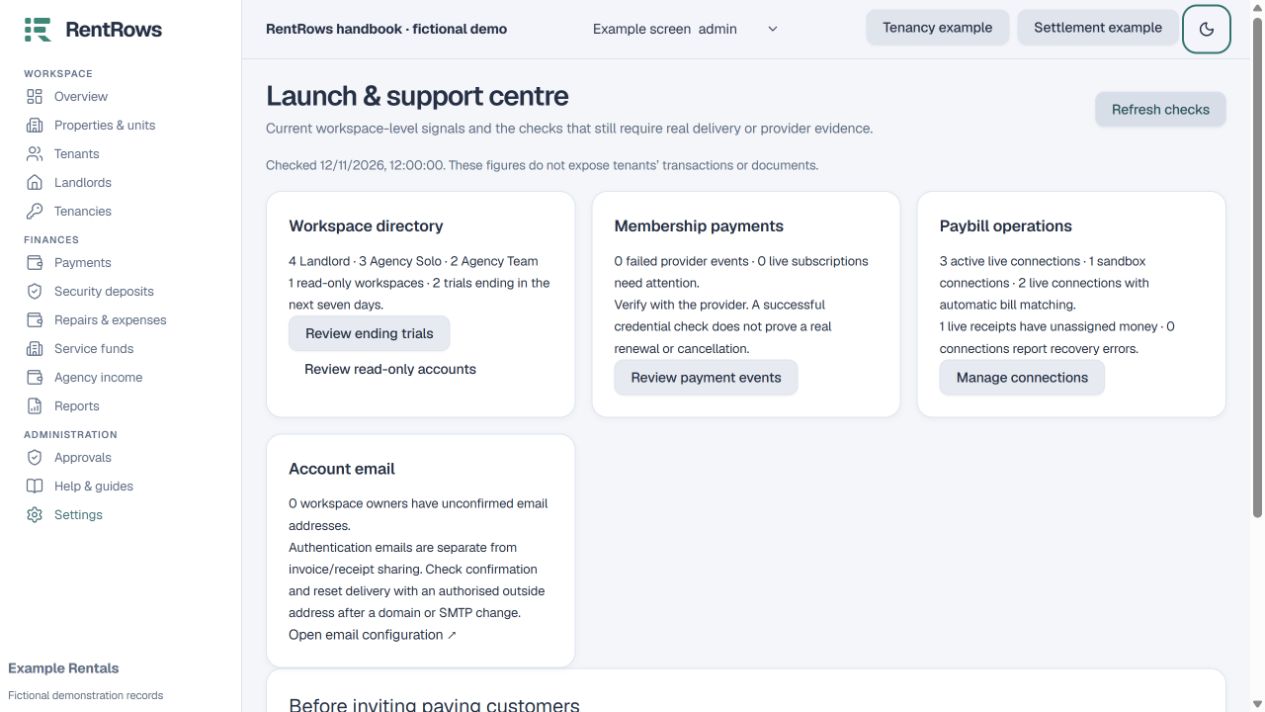
Follow the steps
- 01
Open Workspaces and search by workspace name or owner email. Review category, membership, usage and support notes before making changes.
- 02
Use Manage access for a reasoned trial extension, complimentary access, suspension, feature override or usage limit. Paid access must come from verified payment.
- 03
Review Payments and Payment events for subscription issues. Verify provider results or reconcile pending events instead of marking an order paid by hand.
- 04
Use Paybill connections for secure per-workspace setup, sandbox checks, recovery and optional matching controls.
- 05
Review the audit trail for who changed access and why. Use the launch/readiness view for issues needing follow-up; a configuration check alone is not proof of email delivery or live payment.
- 06
Keep tenant documents and private operational records out of platform-level support unless a specific authorised workflow requires them.
Check the result
You can support agencies and landlords without mixing platform billing with their rent collections.
Keep going
Still need help?
Tell support which screen you are on, what you expected and what happened. Include a bill or receipt number where useful. Never send passwords, payment credentials or email confirmation links.
Contact support →Open your workspace →