Record expenses and choose who paid
Keep rental costs, owner deductions and service-fund spending separate.
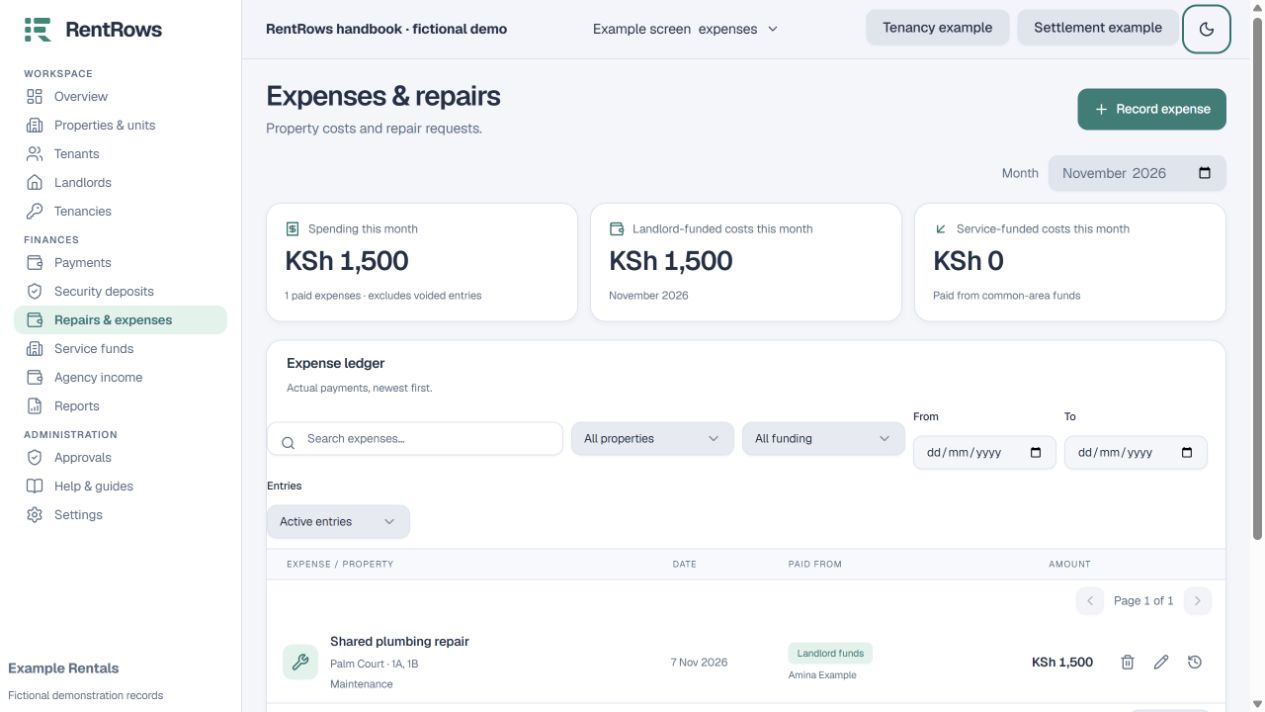
Expenses → Record expense
Before you beginHave the actual invoice or receipt, date, amount and source of funds.
Follow the steps
- 01
Describe the real cost and choose a useful category, date and property.
- 02
Select all units involved when a single cost covers several units. Do not enter the whole amount separately for every unit.
- 03
Choose the funding source carefully. Landlord-funded costs reduce that owner’s balance; service-fund spending reduces the property service fund.
- 04
Use agency or external funding where those parties paid. Deposit-funded move-out costs belong in the tenancy settlement.
- 05
Save, check the affected account or report, and keep supporting proof.
Check the result
The expense appears once and the relevant funding balance updates.
Keep going
Still need help?
Tell support which screen you are on, what you expected and what happened. Include a bill or receipt number where useful. Never send passwords, payment credentials or email confirmation links.
Contact support →Open your workspace →